
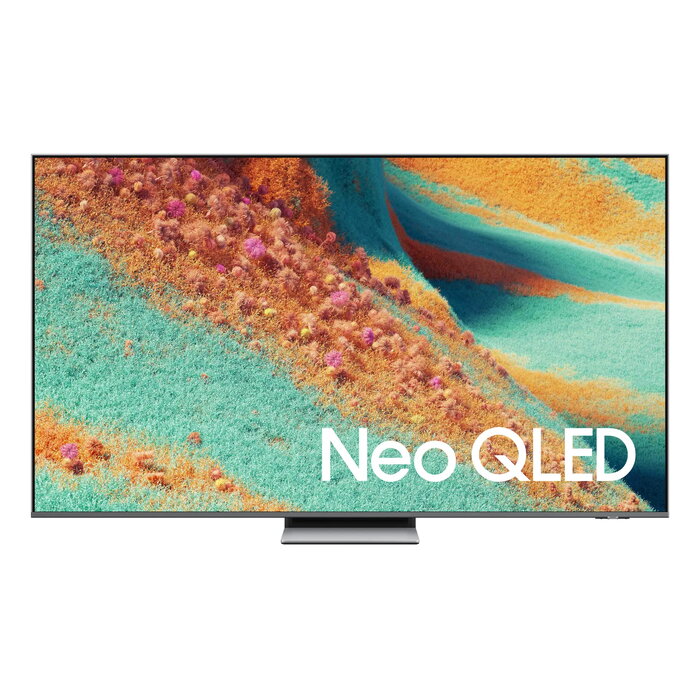
Description
Experience powerful AI-driven 4K performance with the NQ4 AI Gen2 processor that enhances brightness, depth, contrast, motion, sound and resolution. The TV combines advanced Quantum Mini LED Pro backlighting, Neo Quantum HDR+ and Quantum Dot colour technology to deliver accurate colours, deep blacks and outstanding brightness. Integrated smart features include Samsung Tizen OS, Gaming Hub with cloud games, Dolby Atmos sound processing, SolarCell remote that charges from indoor light, and a range of AI tools for picture and sound optimisation.
Advantages
The NQ4 AI Gen2 processor provides automatic 4K upscaling and scene-by-scene optimisation powered by multiple neural networks. Quantum Mini LED Pro with Quantum Matrix Technology Plus offers precise local dimming for improved contrast and detailed blacks. Neo Quantum HDR+ and Colour Booster Pro enhance dynamic range and colour accuracy, while PANTONE validation ensures reliable colour reproduction. Audio features such as Dolby Atmos, AI Sound Pro, Q-Symphony and Object Tracking Sound Lite produce immersive, directionally accurate sound. Smart platform features include Tizen OS with popular apps, Gaming Hub with no-console gameplay, Game Bar tools and FreeSync Premium Pro support for smooth HDR gaming.
Key specifications
- Processor: NQ4 AI Gen2 (20 neural networks)
- Display technology: Quantum Mini LED Pro with Quantum Matrix Technology Plus
- HDR: Neo Quantum HDR+
- Colour: Quantum Dot (100% colour volume), PANTONE validated
- Upscaling: 4K AI Upscaling, Auto HDR Remastering
- Sound: Dolby Atmos, AI Sound Pro, Q-Symphony, Object Tracking Sound Lite
- Gaming: Gaming Hub, Motion Xcelerator 144Hz, AI Auto Game Mode, Game Bar, FreeSync Premium Pro
- Smart platform: Tizen OS, Samsung TV Plus, Art Store
- Remote: SolarCell Remote (charges from indoor light and RF harvesting)
- AI features: AI Mode, Generative Wallpaper, Colour Booster Pro, Real Depth Enhancer
- Security: Samsung Knox Security
- Energy: AI Energy Mode, SmartThings integration
- Connectivity features: Quick Remote (phone control), Universal Gestures (Galaxy Watch control)
How to use
Set up the TV following the on-screen installation steps to connect to power and network, then sign in to your Samsung account to access apps and personalised recommendations. Use the SolarCell Remote or Quick Remote on your smartphone to control the TV. For gaming, open Gaming Hub to stream games without a console or connect a console and enable AI Auto Game Mode and Motion Xcelerator 144Hz for optimal settings. Enable AI Mode to let the TV adapt picture and sound automatically, and use AI Sound Pro and Dolby Atmos for improved audio. Access the Art Store to display curated artwork or use Generative Wallpaper for custom visuals.
Recommendations
For best picture quality, place the TV in a room with controllable ambient lighting and enable adaptive brightness in AI Mode; for gaming, use a compatible console or cloud games via Gaming Hub and enable FreeSync Premium Pro to reduce tearing and stutter.
There are no reviews yet.