
Description
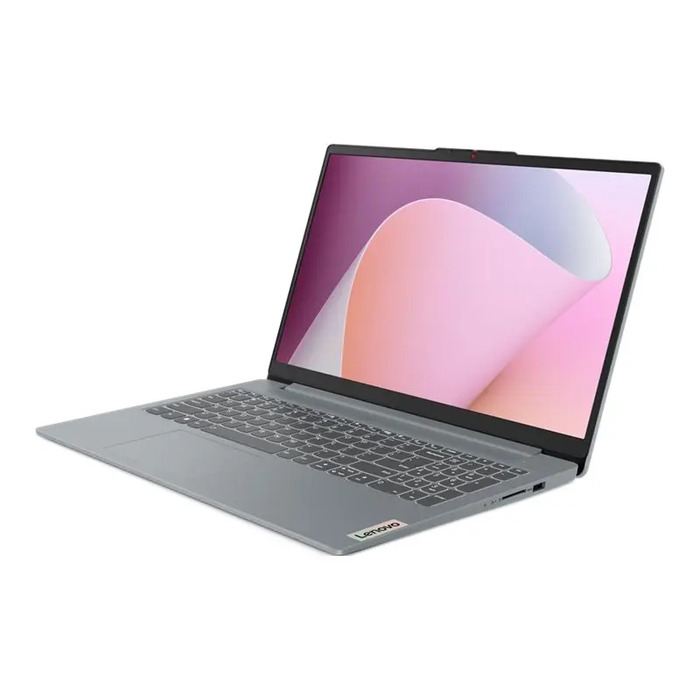
The Lenovo IdeaPad Slim 3 15.6″ AMD Ryzen 7 5825U 16GB 512GB AMD Radeon Windows 11 is a compact 15.6″ notebook designed for everyday productivity and multimedia. It features a 15.6″ FHD IPS display (1920 x 1080), an AMD Ryzen 7 5825U processor, 16GB of soldered DDR4 RAM and a 512GB solid-state drive for responsive system performance and faster application loading. Integrated AMD Radeon graphics handle everyday visual tasks, and Windows 11 Home provides the operating environment. Connectivity includes Wi‑Fi 802.11ax and Bluetooth 5.2. The laptop is supplied in Arctic Grey and includes a 24-month warranty.
Advantages
The combination of an AMD Ryzen 7 5825U processor and 16GB of DDR4 RAM supports multitasking and smooth switching between office applications, browser tabs and media players. The 512GB SSD reduces boot and load times compared with mechanical drives. The 15.6″ FHD IPS panel delivers consistent viewing angles and clear text for work and streaming. Built-in Wi‑Fi 802.11ax enables modern wireless throughput while Bluetooth 5.2 allows connection to headsets, mice and other peripherals.
Suitable for
- Office productivity and document editing
- Web browsing, video conferencing and remote learning
- Media playback and light photo editing
- Students and home office use
- Everyday multitasking and application work
Key specifications
- Brand: Lenovo
- Model: IdeaPad Slim 3
- Display: 15.6″ FHD IPS, 1920 x 1080
- Processor: AMD Ryzen 7 5825U
- Memory: 16GB soldered DDR4 RAM
- Storage: 512GB SSD
- Graphics: AMD Radeon (integrated)
- Operating system: Windows 11 Home
- Wireless: Wi‑Fi 802.11ax
- Bluetooth: 5.2
- Color: Arctic Grey
- Warranty: 24 months
- MPN: 82XM013YLT
- EAN: 199271563557
- Category: Laptops
How to use
Power on the Lenovo IdeaPad Slim 3 and follow the Windows 11 Home setup prompts to create or sign in with a Microsoft account, configure network settings and apply initial updates. Use system settings to connect to a Wi‑Fi 802.11ax network and pair Bluetooth peripherals using Bluetooth 5.2. Install required applications from trusted sources and keep drivers and Windows updates current for stable operation. Store personal files on the internal 512GB SSD or connect external storage for backups.
Usage recommendations
Keep ventilation areas clear during use, perform regular Windows and driver updates, and register the device with the manufacturer to validate the 24-month warranty. For best wireless performance use a Wi‑Fi 6 (802.11ax) compatible router and maintain backups of important data on external drives or cloud storage.

There are no reviews yet.