
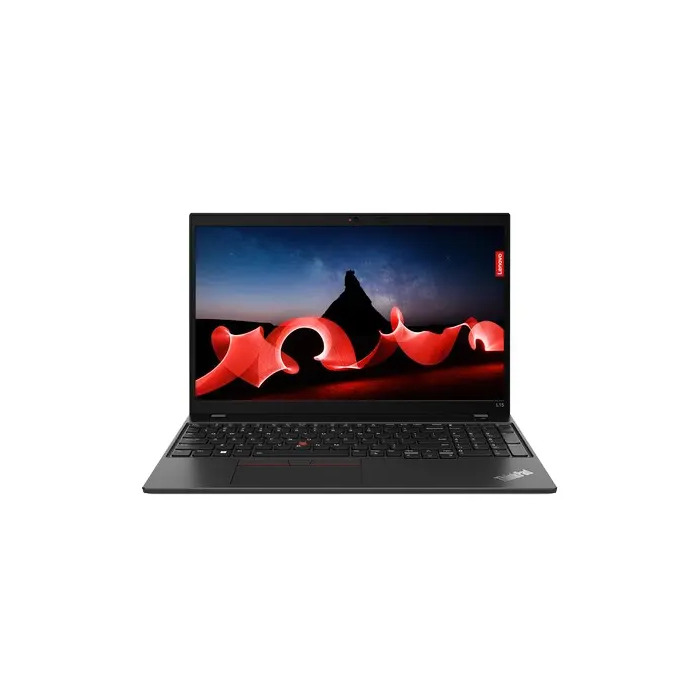
Description
The Lenovo L15 G4 is a 15.6″ Full HD business laptop with an Intel Core i3-1315U processor (6 cores, up to 4.5 GHz, 10 MB Smart Cache), 8 GB DDR4-3200 memory and a 256 GB NVMe PCIe 4.0 SSD. It runs Windows 11 Pro and includes integrated Intel UHD Graphics, Wi‑Fi 6E, Bluetooth 5.1, LTE mobile connectivity and a Gigabit Ethernet port. The chassis is finished in Thunder Black and the system includes TPM 2.0 and password protection for security.
Advantages
The device offers a balance of processing performance and efficiency with a hybrid 6-core Intel Core i3 (2 performance cores and 4 efficient cores) and up to 4.5 GHz boost frequency. Fast NVMe storage and DDR4-3200 memory provide responsive application load times and multitasking. Connectivity options are extensive, including Wi‑Fi 6E, LTE, Bluetooth 5.1, HDMI 2.1 and Thunderbolt 4, while built-in Dolby Audio and dual microphones support clear audio for calls. The laptop is lightweight for its class and supports fast charging for the 46.5 Wh Li‑Po battery.
Suitable for
- Office productivity and business applications
- Web conferencing and remote work
- Everyday multitasking and light content editing
- Mobile connectivity scenarios requiring LTE and Ethernet
Key specifications
- Display: 15.6″ (39.6 cm) Full HD (1920 x 1080), LED backlight, 250 cd/m²
- Processor: Intel Core i3-1315U, 6 cores (2 P + 4 E), up to 4.5 GHz, 10 MB Smart Cache
- Graphics: Integrated Intel UHD Graphics
- Memory: 8 GB DDR4-3200 (on-board)
- Storage: 256 GB NVMe SSD (M.2, PCIe 4.0)
- Battery: 46.5 Wh Li‑Po with fast charging support
- Connectivity: Wi‑Fi 6E (802.11ax), Bluetooth 5.1, LTE, Gigabit Ethernet (RJ-45)
- Ports: Thunderbolt 4, USB-C (DisplayPort Alt Mode), 2 × USB-A 3.2 Gen 1, HDMI 2.1, combo audio jack, RJ-45
- Security: TPM 2.0, password protection
- Dimensions & weight: 360.2 × 237 × 19.9 mm, 1.77 kg
- Operating system: Windows 11 Pro (64-bit)
How to use
Power the laptop using the supplied 65 W AC adapter (100–240 V, 50–60 Hz). Use Windows 11 Pro for typical business workflows: install company software, configure network and security settings (including TPM and password protection) and connect to Wi‑Fi 6E or LTE for internet access. For video calls, use the built-in front camera, dual microphones and Dolby Audio speakers. Charge the battery as needed and enable power plans in Windows to balance performance and battery life.
Usage recommendations
For best performance in multitasking and light content work, keep system drivers and Windows updates current, use an NVMe-compatible storage manager if provided, and maintain at least 15–20% free space on the SSD. When frequently working on battery, enable power-saving modes; for demanding tasks, connect the AC adapter to allow the processor to reach higher turbo power.
There are no reviews yet.