
Description
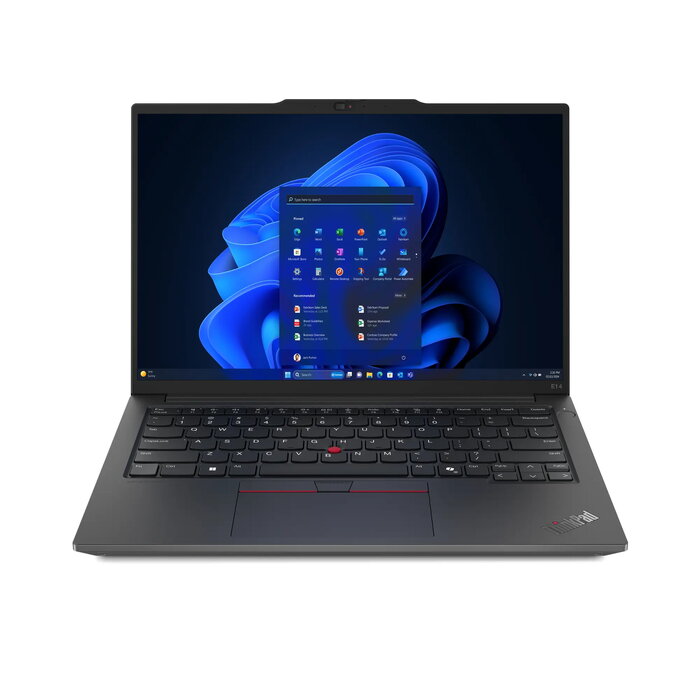
The Lenovo ThinkPad E14 Gen 6 is a 14″ clamshell laptop designed for mobile productivity. It features a 14″ WUXGA (1920 x 1200) IPS display with 16:10 aspect ratio, an Intel Core Ultra 5 125H processor with 14 cores, 16 GB DDR5-5600 memory (1 x 16 GB), a 512 GB SSD, and Intel Arc graphics. Connectivity includes Wi‑Fi 6E, Bluetooth 5.3 and Gigabit Ethernet. The laptop comes in black, weighs approximately 1.44 kg and ships with Windows 11 Pro installed.
Advantages
The ThinkPad E14 Gen 6 combines a high-resolution 14″ display and a multi-core Intel Core Ultra 5 125H CPU to support multitasking and business applications. Fast DDR5 RAM and a 512 GB SSD provide responsive system performance and quick storage access, while Intel Arc graphics improve visual tasks. Built-in modern connectivity (Wi‑Fi 6E, Bluetooth 5.3, Ethernet) and a compact, lightweight chassis make it suitable for work on the move.
Suitable for
- Office productivity and multitasking
- Remote work and business travel
- Web conferencing and document editing
- Light photo editing and multimedia playback
Key specifications
- Model: Lenovo ThinkPad E14 Gen 6 (MPN: 21M700BKGE, EAN: 0199272449454)
- Display: 14″ WUXGA (1920 x 1200) IPS, 16:10
- Processor: Intel Core Ultra 5 125H, 14 cores
- Memory: 16 GB DDR5-5600 (1 x 16 GB)
- Storage: 512 GB SSD
- Graphics: Intel Arc graphics
- Connectivity: Wi‑Fi 6E (802.11ax), Bluetooth 5.3, Ethernet LAN (100/1000 Mbit/s)
- Battery and power: 57 Wh battery, 65 W power adapter
- Operating system: Windows 11 Pro 64-bit
- Color and weight: Black, approx. 1.44 kg
How to use
Power on the laptop using the dedicated power button, follow the Windows 11 Pro initial setup prompts to configure language, account, and network settings, then install required applications for your workflow. Use the Wi‑Fi 6E or Ethernet connection for internet access and Bluetooth 5.3 for pairing peripherals. Manage storage and performance with Windows settings and keep drivers up to date via Lenovo Vantage or Windows Update.
Usage recommendations
For best battery life and sustained performance, use the included 65 W adapter when running demanding tasks, keep the system ventilated, and enable Windows power plans appropriate for either maximum performance or battery savings depending on your needs.
There are no reviews yet.