
Description
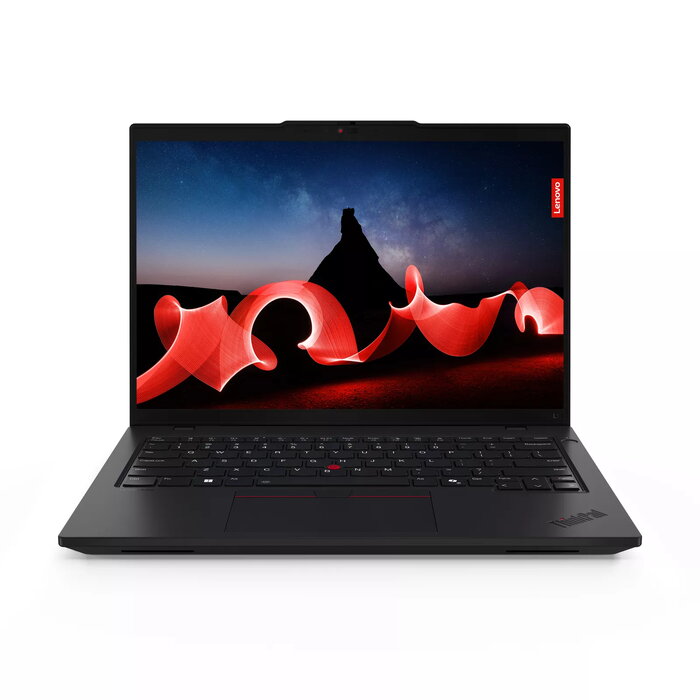
The Lenovo ThinkPad L14 Gen 5 14″ AMD Ryzen 5 7535U 16GB 512GB SSD Windows 11 Pro is a compact business laptop with a 14-inch WUXGA (1920 x 1200) display. It is built around an AMD Ryzen 5 7535U processor and 16 GB of DDR5 memory, paired with a 512 GB solid-state drive and integrated AMD Radeon 660M graphics. The device runs Windows 11 Pro and includes modern connectivity such as Wi‑Fi 6E and support for 4G mobile networks. With a slim profile and a weight of approximately 1.41 kg, it is designed for mobile productivity and everyday professional tasks.
Advantages
The combination of an AMD Ryzen 5 processor and 16 GB DDR5 RAM provides responsive multitasking and efficient application performance for office software, web work and light content creation. The 512 GB SSD delivers fast system boot and application load times while the WUXGA display offers a 16:10 aspect ratio for increased vertical workspace. Integrated AMD Radeon 660M graphics enable fluid general-purpose graphics handling without a discrete GPU. Windows 11 Pro offers business-oriented security and management features suitable for corporate environments.
Suitable for
- Office productivity and document editing
- Web conferencing and remote work
- Data entry, spreadsheets and reporting
- Light photo editing and multimedia playback
- Mobile professionals and frequent travellers
Key specifications
- Display: 14″ WUXGA (1920 x 1200), 16:10 aspect ratio
- Processor: AMD Ryzen 5 7535U, base frequency 2.9 GHz
- Memory: 16 GB DDR5 RAM
- Storage: 512 GB solid-state drive (SSD)
- Graphics: Integrated AMD Radeon 660M
- Network: Wi‑Fi 6E and 4G mobile network support
- Operating system: Windows 11 Pro
- Weight: approx. 1.41 kg
- Colour: Black
How to use
Power on the laptop and complete the Windows 11 Pro initial setup following on-screen prompts. Connect to a Wi‑Fi 6E network or insert a compatible SIM card for mobile 4G access if required. Install necessary productivity applications or business software from trusted sources. Adjust display brightness and power settings in Windows to balance battery life and performance. Use the built-in camera and microphone for video calls and enable relevant privacy or security settings as needed.
Usage recommendations
For optimal performance, keep the operating system and drivers up to date, install antivirus protection, and use the laptop on a hard, flat surface to ensure adequate ventilation. When travelling, store the device in a padded compartment to protect the 14″ display and use a reputable backup solution to protect important data.
There are no reviews yet.