
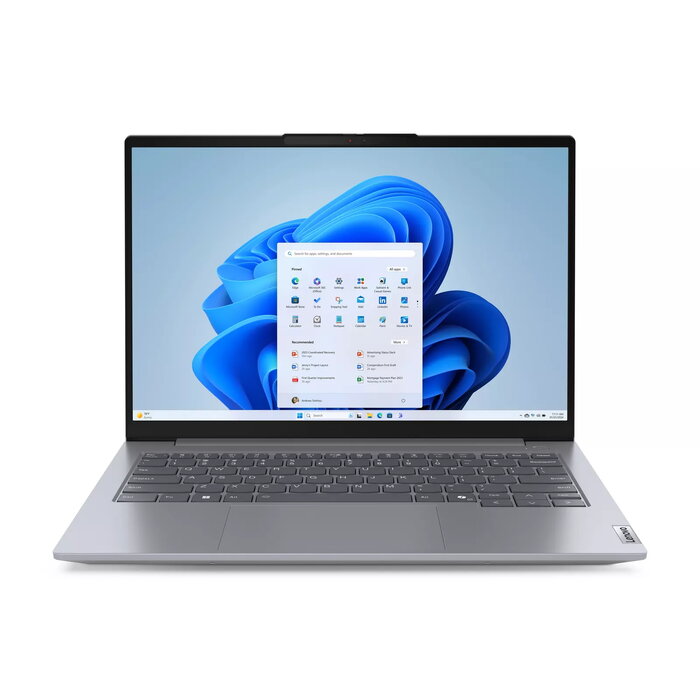
Description
The Lenovo ThinkBook 14 Gen 7 (14″ AMD) is a portable 14-inch business laptop powered by an AMD Ryzen 5 7535HS processor and Windows 11 Pro. It offers a 1920 x 1200 WUXGA display, 16 GB DDR5 memory and a 256 GB SSD. Wi‑Fi 6E support, a range of ports including USB‑C 4 and HDMI, dual‑slot expansion for memory and storage, and built‑in security features make it suitable for professional workflows that require reliable performance and connectivity.
Advantages
The device combines AMD Ryzen 7000‑series performance with dual memory and dual SSD slots for future upgrades. Integrated security features include an optional match‑on‑chip fingerprint reader on the power button, TPM encryption, a Kensington Nano Security Slot and a webcam privacy shutter. A lightweight aluminum chassis, ergonomic curved keycaps and Dolby Audio with dual‑array microphones provide a balanced mix of durability, comfort and collaboration tools. MIL‑STD‑810H testing and spill‑resistant keyboard design improve long‑term reliability.
Suitable for
- Office productivity and multitasking
- Remote and hybrid work with video conferencing
- Business travel and on‑the‑go use
- Everyday professional software and light content creation
Key specifications
- Display: 14″ WUXGA (1920 x 1200)
- Processor: AMD Ryzen 5 7535HS, 3.3 GHz
- Memory: 16 GB DDR5 (expandable via dual memory slots)
- Storage: 256 GB SSD (dual SSD slots supported)
- Graphics: Integrated AMD Radeon 660M
- Operating System: Windows 11 Pro
- Connectivity: Wi‑Fi 6E, USB‑C 4, HDMI, SD card reader
- Security: Match‑on‑chip fingerprint reader (optional), TPM, webcam privacy shutter, Kensington Nano Slot
- Weight: 1.38 kg
- Colour: Arctic Grey (aluminum chassis)
How to use
Power on the laptop with the integrated power button; if configured, the match‑on‑chip fingerprint reader allows secure and instantaneous login. Connect to a Wi‑Fi 6E network via Windows 11 network settings for fast internet access. Use the USB‑C or HDMI ports to connect external displays and peripherals, and insert SD cards into the card reader to access additional files. For performance scaling, install additional RAM or a second SSD into the provided slots following Lenovo service instructions.
Usage recommendations
For reliable day‑to‑day operation, keep Windows 11 Pro updated, use the TPM and fingerprint reader for secure authentication, and back up important data to an external drive or cloud service. When travelling, use the Kensington Nano Security Slot to secure the device physically and enable the webcam shutter when privacy is needed.
There are no reviews yet.