
Description
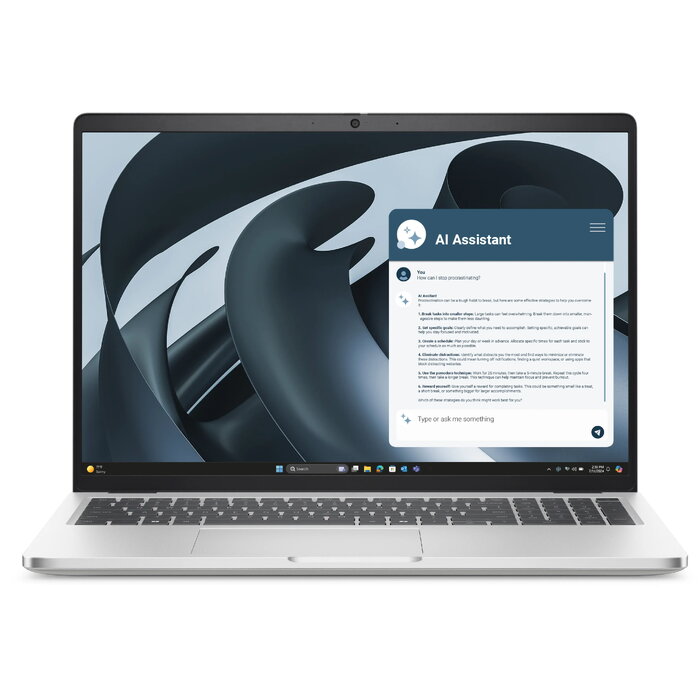
The DELL Pro 16 Plus PB16255 is a 16″ business-class laptop with a 1920 x 1200 Full HD+ display designed for productivity. It is equipped with an AMD Ryzen 5 PRO 230 processor running at up to 3.5 GHz, 16 GB of LPDDR5x-SDRAM and a 512 GB solid-state drive. Graphics are handled by an integrated AMD Radeon 760M solution, and the system ships with Windows 11 Pro. The chassis is finished in aluminium and the laptop weighs approximately 1.86 kg, offering a balance of performance and portability for everyday professional tasks.
Advantages
The combination of an AMD Ryzen 5 PRO 230 processor and 16 GB of LPDDR5x memory provides consistent multi‑tasking capability and responsive application performance. A 512 GB SSD delivers fast boot times and quick application loading. The 16″ 1920 x 1200 display offers increased vertical space compared with standard 16:9 panels, improving document and spreadsheet visibility. Windows 11 Pro adds business-focused features and security controls suitable for corporate use. The aluminium finish contributes to a durable and professional appearance while keeping the overall device weight near 1.86 kg.
Suitable for
- Office productivity and document editing
- Web conferencing and remote work
- Data analysis and spreadsheet work
- Content consumption and light multimedia editing
Key specifications
- Display diagonal: 16″
- Display resolution: 1920 x 1200 (Full HD+)
- Processor family: AMD Ryzen 5 PRO
- Processor model: 230, up to 3.5 GHz
- Internal memory: 16 GB LPDDR5x-SDRAM
- Storage: 512 GB SSD
- Graphics: AMD Radeon 760M (integrated)
- Operating system: Windows 11 Pro
- Weight: approximately 1.86 kg
- Chassis colour: Aluminium
How to use
Power on the laptop and complete the Windows 11 Pro initial setup using the on-screen prompts to configure language, network and user account. Use the built-in display and keyboard for everyday tasks such as word processing, spreadsheets and web browsing. Connect external monitors, storage or peripherals through available ports (refer to the device manual for port locations). For mobility, rely on the internal SSD for fast access to files and applications; when moving between locations, ensure the battery is charged and use a suitable protective case to prevent physical damage.
Usage recommendations
For sustained performance, keep Windows and device drivers up to date, enable power profiles appropriate for your workload, and avoid heavy sustained workloads that exceed integrated graphics capabilities. Regularly back up important data from the 512 GB SSD to external storage or cloud services. Use the laptop on stable, flat surfaces to ensure adequate cooling and extend component lifespan.
There are no reviews yet.