
Description
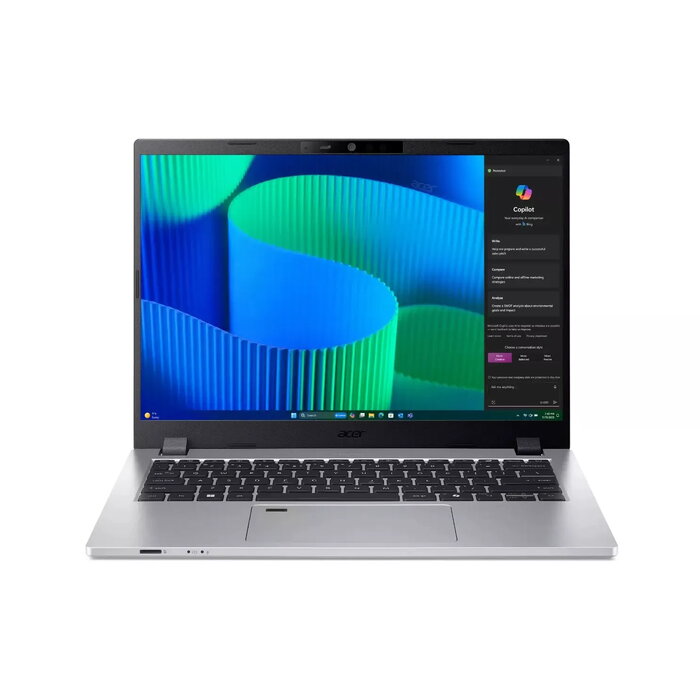
The Acer TravelMate P2 TMP214-56-TCO-54AL is a 14″ business laptop designed for productivity and video conferencing. It features a 16:10 WUXGA (1920 x 1200) display, Intel Core 5 120U processor, 16 GB DDR5 memory, 512 GB SSD, integrated Intel graphics and Windows 11 Pro. The chassis emphasizes durability and sustainability with reinforced I/O ports, MIL-STD-810H design criteria and recycled materials in packaging and components.
Advantages
This TravelMate P2 balances portability and business-ready features: a taller 16:10 screen for more vertical workspace, a 180° hinge, large touchpad, and an optional numeric keypad layout. Performance is supported by the Intel Core 5 120U processor and 16 GB memory for common office tasks, while long-term reliability is aided by Acer Dust Defender. Security features include discrete TPM 2.0, fingerprint reader and an IR camera for secure sign-in, plus a physical privacy shutter for the webcam. Connectivity options include Wi‑Fi 6E, 4G LTE support in some SKUs and a Type‑C Thunderbolt 4 port for high-speed data and external displays.
Suitable for
- Office productivity and multitasking (documents, spreadsheets, email)
- Remote meetings and video conferencing
- Mobile professionals who need a lightweight 14″ laptop (1.6 kg)
- Small business deployments requiring security features and manageability
Key specifications
- Display: 14″ WUXGA (1920 x 1200), 16:10 aspect ratio
- Processor: Intel Core 5 120U
- Memory: 16 GB DDR5
- Storage: 512 GB SSD
- Graphics: Integrated Intel graphics
- Operating system: Windows 11 Pro
- Weight: 1.6 kg
- Colour: Silver
- Connectivity highlights: Wi‑Fi 6E, optional 4G LTE, Thunderbolt 4 (Type‑C)
How to use
Set up the laptop by completing the Windows 11 Pro initial configuration and connecting to your preferred Wi‑Fi network or mobile broadband if available. Use the full-size keyboard and large touchpad for everyday productivity; the 16:10 display provides additional vertical space for documents and web pages. For video calls, enable the FHD webcam and use the dual microphones and DTS‑enabled speakers for clearer audio. Connect external monitors or peripherals through the Thunderbolt 4 Type‑C port or other available ports as needed.
Usage recommendations
For sustained performance, keep the vents clear and follow standard battery and system maintenance: install updates regularly, use a quality power adapter, and avoid heavy dust exposure. Use the privacy shutter and biometric sign-in options to protect sensitive data in shared or public environments.
There are no reviews yet.