
Description
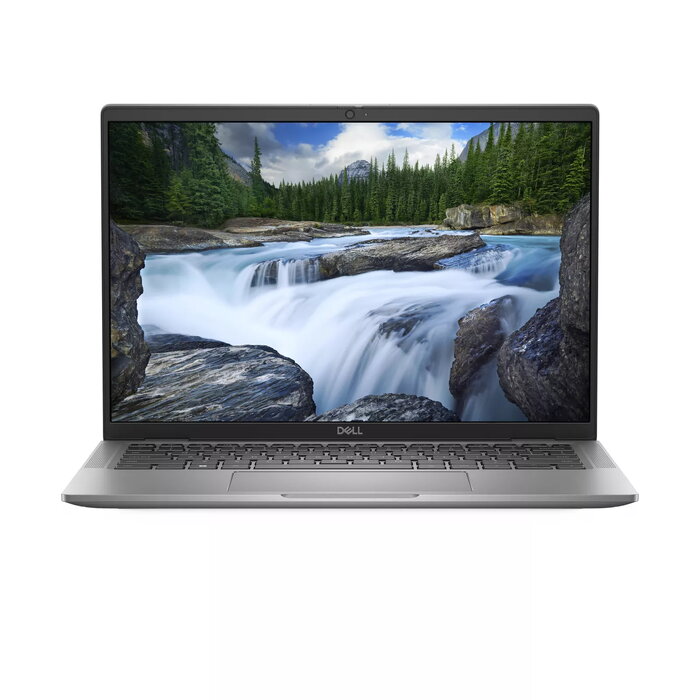
The Dell Latitude 7450 is a 14″ business laptop featuring a 1920 x 1200 Full HD+ display and an energy-efficient Intel Core Ultra 5 125U processor. Configured with 16 GB of LPDDR5x memory and a 512 GB solid-state drive, the system delivers fast storage access and responsive multitasking for everyday professional workloads. Integrated Intel graphics and Windows 11 Pro provide a familiar productivity environment in a slim, grey chassis that weighs approximately 1.33 kg, suitable for mobile use and frequent travel.
Advantages
The combination of an Intel Core Ultra 5 125U processor and 16 GB LPDDR5x memory ensures smooth operation for office applications, web conferencing and light content creation. A 512 GB SSD offers quick boot times and fast file transfers while the 1920 x 1200 Full HD+ display provides an extended vertical workspace for spreadsheets and documents. The laptop’s compact 14″ form factor and low weight enhance portability without sacrificing common business features. Windows 11 Pro adds security and management capabilities for corporate environments.
Suitable for
- Office productivity: document editing, spreadsheets, email and calendar management
- Remote work and video conferencing
- Business travel and mobile professionals who need a lightweight device
- Light photo editing and media playback
- Company deployments requiring Windows 11 Pro and manageable hardware
Key specifications
- Display: 14″ diagonal, 1920 x 1200 (Full HD+)
- Processor: Intel Core Ultra 5 125U
- Memory: 16 GB LPDDR5x
- Storage: 512 GB solid-state drive (SSD)
- Graphics: integrated Intel graphics
- Operating system: Windows 11 Pro
- Weight: approximately 1.33 kg
- Colour: grey
How to use
Power on the laptop using the top-right power button and complete the initial Windows 11 Pro setup by following on-screen prompts for region, account and network. Install required business applications and connect to corporate resources via VPN or the company network. Use the Full HD+ display orientation and resolution settings in Windows to adjust scaling for clearer text and an extended vertical workspace. Regularly update system drivers and Windows updates through the built-in update tools to maintain stability and security.
Usage recommendations
For optimal performance, use Windows power plans configured for balanced or high performance when running heavier workloads, and enable automatic backups or cloud sync for important files. Keep ventilation unobstructed during extended use and carry the laptop in a padded case when transporting. For enterprise deployments, apply security policies and BitLocker encryption available in Windows 11 Pro to protect sensitive data.
There are no reviews yet.