
Description
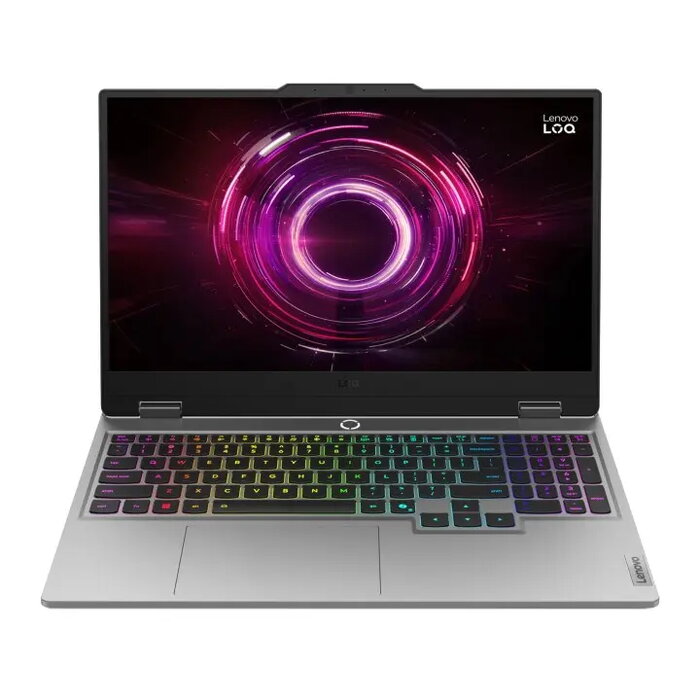
Lenovo LOQ 15AHP10 is a 15.6″ laptop with a Full HD IPS display offering 1920×1080 resolution, 144 Hz refresh rate, 300 cd/m² brightness and 100% sRGB coverage. It is powered by an AMD Ryzen 5 220 processor (6 cores, 12 threads, up to 4.9 GHz), equipped with 32 GB DDR5 memory (2×16 GB, 5600 MHz) and a 512 GB PCIe 4.0 NVMe SSD. Graphics are handled by an NVIDIA GeForce RTX 5050 with 8 GB GDDR7. The chassis is Luna Grey PC‑ABS and the laptop weighs approximately 2.4 kg. No operating system is preinstalled.
Advantages
The combination of a high-refresh-rate IPS panel and a dedicated RTX 5050 GPU supports smooth visuals for gaming and graphics work. Fast DDR5 memory and PCIe 4.0 NVMe storage ensure responsive system performance and quick load times. Modern connectivity includes Wi‑Fi 6, Bluetooth 5.3, Gigabit Ethernet and USB-C with Power Delivery, while HDMI 2.1 provides external display compatibility. The design uses durable PC‑ABS material and includes a white backlit keyboard with numeric keypad for comfortable input.
Suitable for
- Casual and competitive gaming at Full HD settings
- Content creation workflows like photo and video editing
- Everyday productivity, multitasking and office work
- Media playback and streaming
Key specifications
- Display: 15.6″ (39.6 cm) IPS, 1920×1080, 144 Hz, 300 cd/m², anti‑glare, 100% sRGB
- Processor: AMD Ryzen 5 220, 6 cores / 12 threads, 3.2 GHz base, up to 4.9 GHz boost
- Graphics: NVIDIA GeForce RTX 5050 with 8 GB GDDR7
- Memory: 32 GB DDR5‑5600 (2×16 GB, SO‑DIMM), up to 32 GB supported
- Storage: 512 GB NVMe SSD, M.2, PCIe 4.0
- Battery & power: 60 Wh battery, 170 W AC adapter, USB‑C charging with Power Delivery
- Connectivity: Wi‑Fi 6 (802.11ax), Bluetooth 5.3, Gigabit Ethernet (RJ‑45), HDMI 2.1, 1× USB‑C, 3× USB‑A, combo audio
- Webcam & audio: HD front camera (1280×720), dual microphones, dual 2 W speakers
- Dimensions & weight: approx. 359.9 × 258.7 × 2.19–2.39 cm, weight 2.4 kg
How to use
Power on the laptop using the power button and, if required, connect the 170 W adapter or a compatible USB‑C PD charger. Install your preferred operating system since the device ships without one. Use the Windows or chosen OS installer to set up storage and user accounts. For optimal graphics performance, install up‑to‑date NVIDIA drivers and appropriate chipset/network drivers from Lenovo. Connect external displays via HDMI 2.1 and peripherals via USB‑A or USB‑C ports as needed.
Usage recommendations
For balanced performance and longevity, keep system drivers and BIOS updated, use the 170 W adapter for high-load tasks (gaming or rendering), and ensure adequate ventilation during extended heavy use. Regularly back up important data from the NVMe SSD.
There are no reviews yet.