
Description
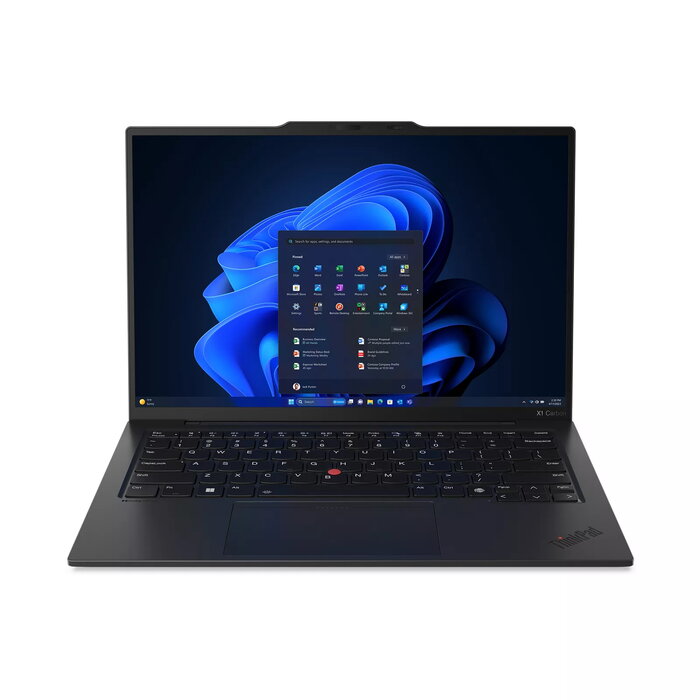
The Lenovo ThinkPad X1 Carbon Gen 12 (14″ Intel) is a lightweight professional laptop that combines recycled-material construction, modern connectivity and advanced Intel Core Ultra processing. This 14″ device offers a WUXGA (1920 x 1200) display, Intel Core Ultra 5 125U processor, 16 GB LPDDR5x RAM, 512 GB SSD storage, Windows 11 Pro, Wi‑Fi 6E support and a durable chassis made with recycled carbon fiber and 90% recycled magnesium. The laptop is available in black and weighs approximately 1.09 kg.
Advantages
The ThinkPad X1 Carbon Gen 12 delivers optimized performance with dedicated AI engines and a low-power NPU for sustained workloads, supported battery life and instant wake. It includes high-quality audio and camera systems with AI noise cancellation, multiple biometric options (fingerprint and facial recognition), MIL‑STD 810H‑based durability testing, and eco-conscious packaging and materials. Optional features include a 2.8K 120 Hz OLED panel and Intel Arc graphics for improved visual performance.
Suitable for
- Business professionals and frequent travelers who need a lightweight, durable laptop
- Users requiring AI-accelerated productivity and multimedia collaboration (video calls, conferencing)
- Office work, document editing, web browsing and light content creation
- IT departments needing manageability and enterprise-grade security (vPro, ThinkShield)
Key specifications
- Display: 14″ WUXGA (1920 x 1200)
- Processor: Intel Core Ultra 5 125U
- Memory: 16 GB LPDDR5x
- Storage: 512 GB SSD
- Operating system: Windows 11 Pro
- Connectivity: Wi‑Fi 6E
- Weight: ~1.09 kg
- Color: Black
How to use
Power on the laptop using the power button and complete Windows 11 Pro setup. Connect to a Wi‑Fi 6E network for fast internet access and sign in with your Microsoft or work account. Use the built-in cameras, Dolby-enabled audio and AI features for video calls; enable biometric sign-in (fingerprint or face) in Windows Hello for faster access. For file transfers with smartphones, set up Intel Unison to sync messages, calls and media with iOS or Android devices.
Usage recommendations
For best battery life and sustained performance, keep drivers and Lenovo Vantage updates current, use the integrated AI modes for appropriate workloads, and store the device in a cool, dry place when not in use. Choose the OLED 2.8K 120 Hz option if you frequently work with high-resolution visuals; otherwise the WUXGA panel balances clarity and battery efficiency.
There are no reviews yet.