
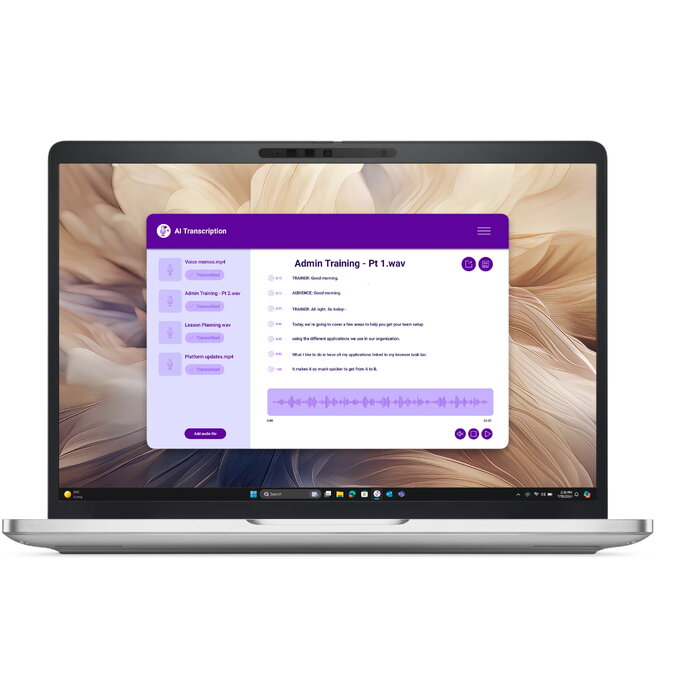
Description
The DELL Pro 13 Plus PB13250 is a compact professional laptop with a 13.3″ Full HD+ display (1920 x 1200). Powered by an Intel Core Ultra 7 268V processor and equipped with 32 GB of LPDDR5x-SDRAM, it is designed to handle demanding multitasking and productivity workloads. Storage is provided by a 512 GB SSD for fast system response and application loading. The system includes Intel Arc Graphics 140V for improved visual performance and runs Windows 11 Pro. The chassis is finished in silver and the unit weighs approximately 1.34 kg, making it suitable for users who need a balance of performance and portability.
Advantages
This Dell model combines a high-resolution 13.3″ display with a modern Intel Core Ultra 7 processor and a large 32 GB memory configuration to support simultaneous applications and browser tabs without significant slowdowns. The 512 GB SSD offers quick boot times and snappy file access while the integrated Intel Arc Graphics 140V enhances visual tasks compared with typical integrated solutions. Windows 11 Pro provides business-focused features and security controls appropriate for professional environments. The lightweight silver chassis aids mobility for frequent travel or hybrid work.
Suitable for
- Business professionals who need a portable workstation for office applications and remote meetings
- Content creators performing photo editing, light video work, and graphical previews
- Software developers and data analysts running multiple development tools and virtual machines
- Students and researchers requiring a reliable laptop for document work, browsing and presentations
Key specifications
- Display: 13.3″ Full HD+ (1920 x 1200)
- Processor: Intel Core Ultra 7 268V
- Memory: 32 GB LPDDR5x-SDRAM
- Storage: 512 GB SSD
- Graphics: Intel Arc Graphics 140V
- Operating system: Windows 11 Pro
- Weight: 1.34 kg
- Colour: Silver
How to use
Unpack the laptop and connect the included power adapter for initial charging. Follow the on-screen Windows 11 Pro setup to configure region, user account, and network settings. Use Windows Update to install the latest system and driver updates before installing productivity software. For best performance, keep the system plugged in during intensive tasks and manage background applications through Task Manager. Use the built-in display and Intel Arc Graphics for routine creative work and external displays can be connected if additional screen space is required.
Usage recommendations
To maintain system responsiveness, install critical updates regularly, use reputable antivirus software, and avoid running large numbers of background applications simultaneously. For optimal battery health, follow manufacturer guidelines for charging cycles and store the device in a dry, moderate-temperature environment when not in use.
There are no reviews yet.